How Googlebot Works in 2026?- After New Update
Your site might be perfectly optimized for a version of Googlebot that no longer exists — and you wouldn’t notice until your pages quietly stop getting indexed. Google rewrote how crawling works in 2026, and most sites are still operating on outdated assumptions.
Googlebot Is Not What You Think It Is
Most SEO advice treats Googlebot like a single crawler. That model is now outdated — and dangerously misleading.
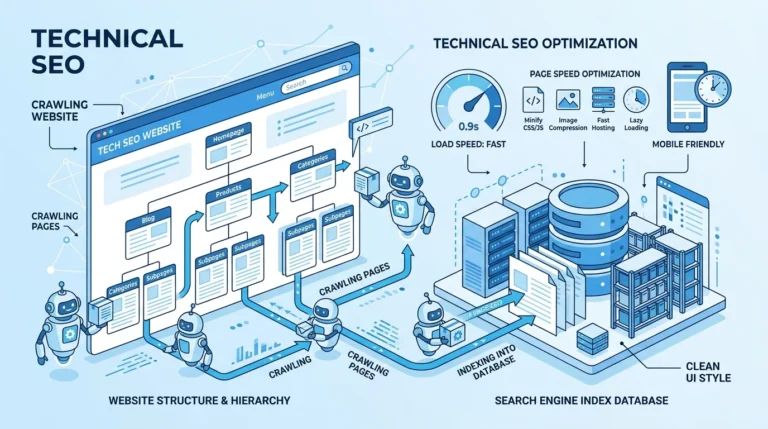
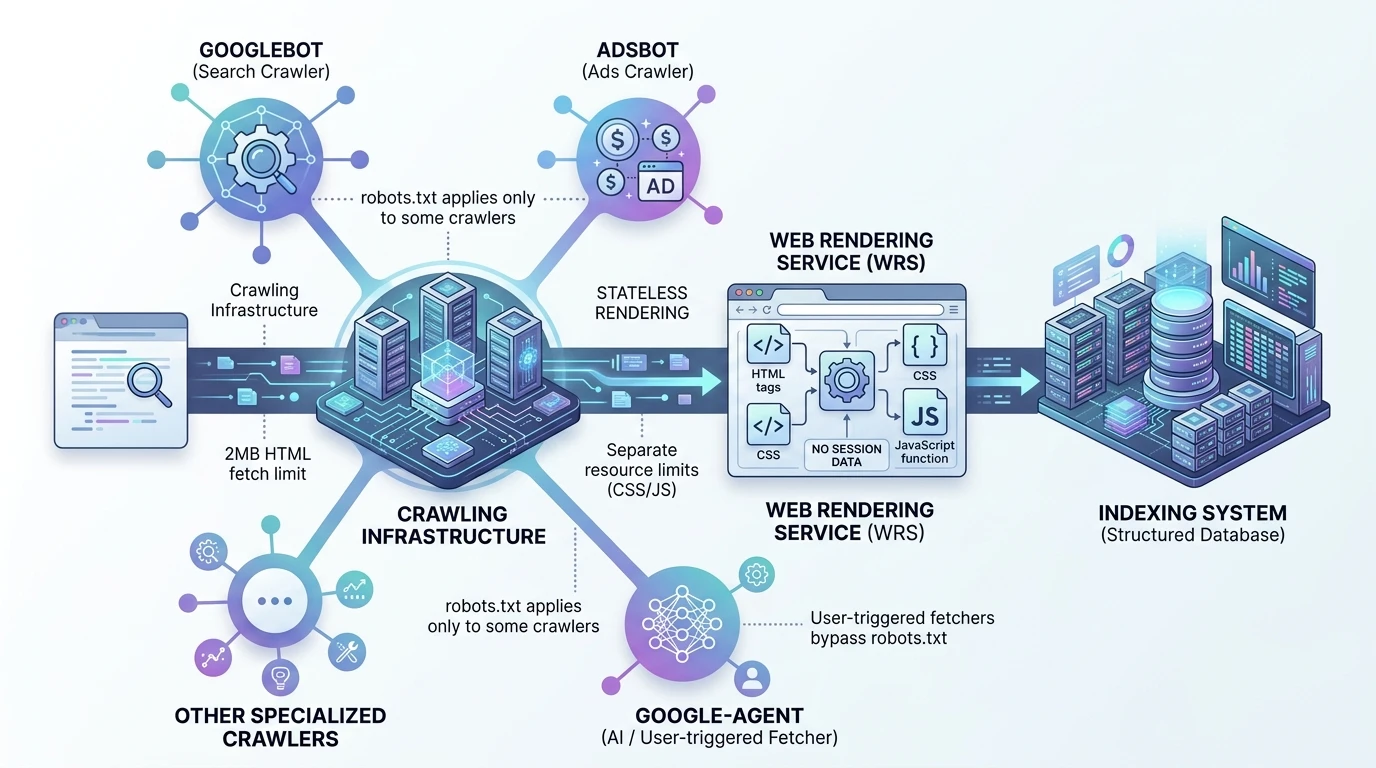
Googlebot is no longer “the crawler.” It’s just one client of a larger, shared crawling infrastructure used across Google’s ecosystem.
Think of the system like this:
- A central crawling platform
- Multiple clients (Search, Ads, Shopping, AI agents)
- Each client operates with its own rules, limits, and permissions
When you see Googlebot in your logs, you’re only seeing Google Search’s crawler, not the full system interacting with your site.
That distinction matters more than ever.
Because blocking Googlebot does not mean you’ve blocked Google.
It only affects Search.
Other crawlers — tied to Ads, Shopping, or AI systems — may still access your content under entirely different rules.
This is where most technical SEO setups start breaking without anyone realizing it.
The 2MB Rule That’s Hiding Your Content From Google
Googlebot does not process your entire page.
It stops early.
There is a hard limit: 2MB per HTML document, and that includes everything — HTML, inline CSS, inline JavaScript, and even HTTP headers.
Anything beyond that point is simply not seen.
Not partially indexed. Not deprioritized. Just ignored.
If your important content sits beyond that threshold, it effectively doesn’t exist to Google.
And here’s the practical reality:
If your HTML exceeds ~1.5MB uncompressed, you’re already in the danger zone.
What This Actually Breaks
- Structured data placed at the bottom of the page
- Canonical or meta tags injected late
- Large navigation menus pushing content down
- Inline base64 images inflating HTML size
- Heavy inline CSS/JS consuming crawlable bytes
What Still Gets Its Own Budget
This is where most people misunderstand the system:
- External CSS → separate fetch budget
- External JavaScript → separate fetch budget
- Each resource gets its own limit
So the fix is not “reduce everything.”
It’s move weight out of the HTML.
The Real Optimization Shift
You’re no longer optimizing for completeness — you’re optimizing for position within the first 2MB.
That means:
- Critical metadata goes at the top
- Primary content appears early
- Structured data lives in <head>
Because Google may never reach anything below it.
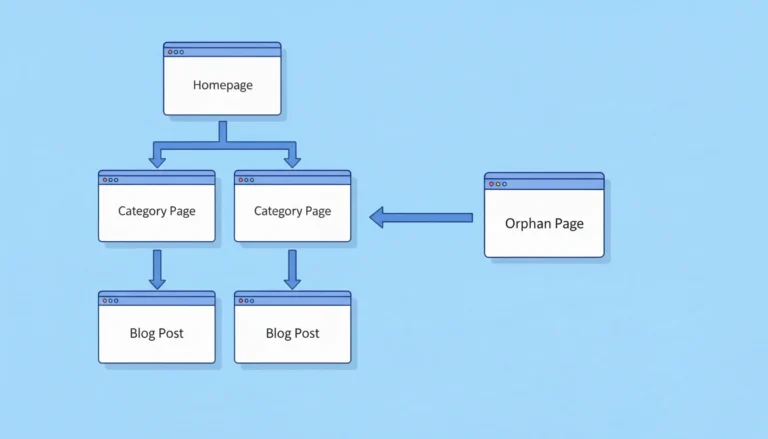
Googlebot Doesn’t Follow Links. It Collects Them.
The traditional model says Googlebot “crawls” your site by following links from page to page.
That’s not how it actually works anymore.
Googlebot’s job is to collect URLs, not immediately explore them.
Crawling and prioritization are separate processes.
What Actually Happens
- Googlebot fetches a page
- Extracts all links it can find
- Adds them to a queue
- Decides later what to crawl, when, and how often
That decision is not based on click paths.
It’s based on signals of importance.
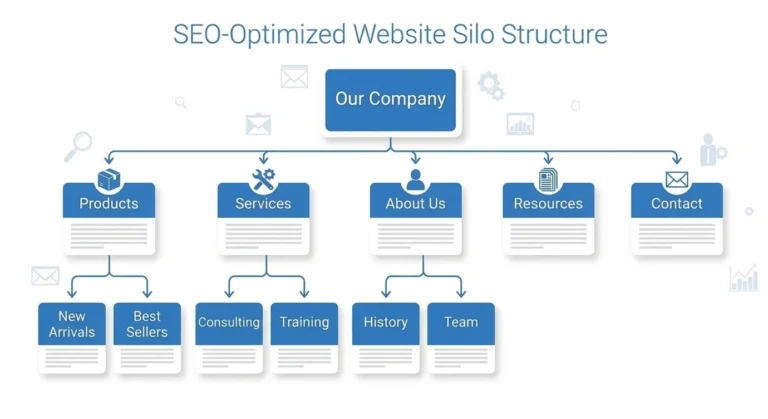
Why Click Depth Became Overrated
Click depth used to be a useful heuristic. Now it’s mostly noise.
- A page 4 clicks deep with strong internal linking signals gets crawled faster
- A page 2 clicks deep with weak signals gets ignored longer
Distance doesn’t matter.
Signal density does.
What influences crawling priority more:
- Number of internal links pointing to a page
- Consistency of those links across the site
- Context and placement of those links
So instead of flattening your structure obsessively, you should be strengthening internal reinforcement.
How the Web Rendering Service (WRS) Actually Sees Your Site
Crawling is only step one.
Rendering is where most modern sites fail.
Google uses the Web Rendering Service (WRS) to process JavaScript and build the final version of your page — but it does so under strict constraints.
What WRS Does
- Executes JavaScript like a modern browser
- Loads CSS and XHR/fetch requests
- Builds the DOM after scripts run
What WRS Does Not Do
- It does not retain session state
- It does not preserve cookies between requests
- It does not rely on local storage
- It does not load images or videos for understanding content
Every page is processed in isolation.
Stateless. Clean. Reset.
Where This Breaks Sites
If your content depends on:
- User state
- Stored sessions
- Delayed JavaScript execution
- Conditional rendering
Google may see a partial or empty page, even if users see everything perfectly.
Structural Requirements That Matter
<title>, canonical, hreflang, robots → must be in<head>- Structured data → must appear early and cleanly
- Primary content → should not depend on delayed JS
And remember:
Every JavaScript and CSS file WRS fetches is also subject to its own 2MB limit.
So bloated JS bundles don’t just slow rendering — they risk partial processing.
The Bigger Shift
WRS is no longer just rendering for indexing.
It’s preparing content for systems that interpret pages beyond traditional search.
Which means incomplete rendering doesn’t just affect rankings — it affects whether your content is usable at all downstream.
Google-Agent — The Crawler Your robots.txt Can’t Stop
There’s a new crawler in the ecosystem, and it changes the rules entirely.
Google-Agent is not a traditional crawler.
It’s a user-triggered fetcher.
And it ignores robots.txt.
What That Means in Practice
If a user asks an AI system to access your page:
- The request is executed
- The content is fetched
- robots.txt is not consulted
Your restrictions for search crawling do not apply here.
Why This Is a Fundamental Shift
This is the first time Google has separated:
- Search access control
- AI access control
Into two different systems.
And they don’t obey the same rules.
What Google-Agent Powers
- AI assistants
- Research tools
- Agent-based browsing systems
All operating on top of the same underlying infrastructure — but with different permissions.
The Real Risk
If you assumed robots.txt protects sensitive or restricted content:
It doesn’t anymore.
Not from user-triggered systems.
What Actually Works
If content must not be accessed:
- Authentication
- Authorization layers
- Server-side restrictions
Because robots.txt is now just a guideline for one category of crawlers — not a universal control mechanism.
The Three Types of Crawlers in 2026
Understanding Google’s system now requires categorization.
1. Common Crawlers
- Example: Googlebot
- Behavior: Autonomous
- Obeys robots.txt
- Used for search indexing
2. User-Triggered Fetchers
- Example: Google-Agent
- Behavior: On-demand
- Ignores robots.txt
- Acts on behalf of users
3. Specialized Crawlers
- Example: Ads-related crawlers
- Behavior: Product-specific
- Operates under separate rules
If you treat all of these as “Googlebot,” your entire crawl strategy is misaligned.
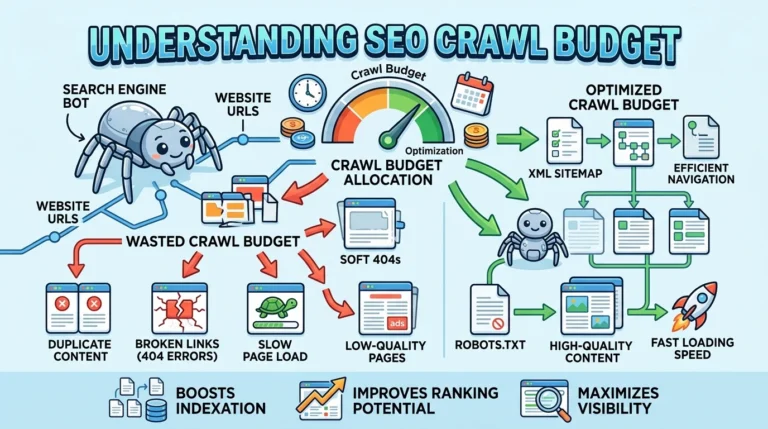
check out why crawl budget matters
IP Range Changes Are Quietly Breaking Crawling
Many sites rely on IP allowlists to verify legitimate Google traffic.
That system is currently shifting.
Google moved its IP range data to a new path and increased update frequency to daily refresh cycles.
If your infrastructure still pulls older data:
- You may block legitimate crawlers
- You may throttle crawl requests
- You may reduce indexing without realizing it
And unlike other issues, this one often produces no visible errors in standard SEO tools.
What to Check Immediately
- Server logs for 403 responses to Google crawlers
- Firewall/CDN rules tied to outdated IP sources
- Automation scripts fetching stale IP data
Because if your allowlist is outdated, you’re effectively telling Google: “Don’t crawl this site.”
What Google’s Documentation Surge Actually Signals
Google rarely explains its systems in detail.
In the past six months, it has done exactly that.
That’s not accidental.
It’s corrective.
What Changed
- Dedicated crawling infrastructure documentation
- Formalization of limits like the 2MB rule
- Clear breakdown of crawler categories
- Public explanation of internal systems
What That Means
Google is trying to fix a large-scale misunderstanding.
And that misunderstanding has consequences:
- Slower indexing
- Incomplete rendering
- Misconfigured access control
- Reduced visibility in newer systems
The gap is no longer about “optimization tricks.”
It’s about whether your site aligns with how crawling actually works now.
What You Should Do Next
Open your server logs.
Not your SEO tool. Not your dashboard. Your actual logs.
Look for:
- Which crawlers are hitting your site
- How often they return
- What status codes they receive
Then check your pages:
- Measure HTML size against the 2MB threshold
- Verify critical tags appear early
- Confirm rendering doesn’t depend on state
Then review your infrastructure:
- Update IP allowlists
- Identify unknown crawler activity
- Add Google-Agent to monitoring
Because in 2026, visibility isn’t just about being indexed.
It’s about being accessible to the right system, under the right conditions, at the right time.
And the sites that understand that are already pulling ahead — quietly, but consistently.

Senior SEO Analyst with 5+ years experience. I specialize in Local SEO, Technical SEO, and AI search visibility through AEO and GEO strategies. Everything I write is tested against real search performance, not borrowed from someone else’s playbook.