Orphan Pages SEO: How to Find and Fix Them
Orphan pages quietly damage your SEO. They sit on your website with zero internal links, which means search engines struggle to find them and users never reach them.
Fixing orphan pages can quickly improve indexing, crawl efficiency, and rankings—often without writing any new content. In this guide, you’ll learn exactly how to find orphan pages and fix them fast.
What Are Orphan Pages in SEO?
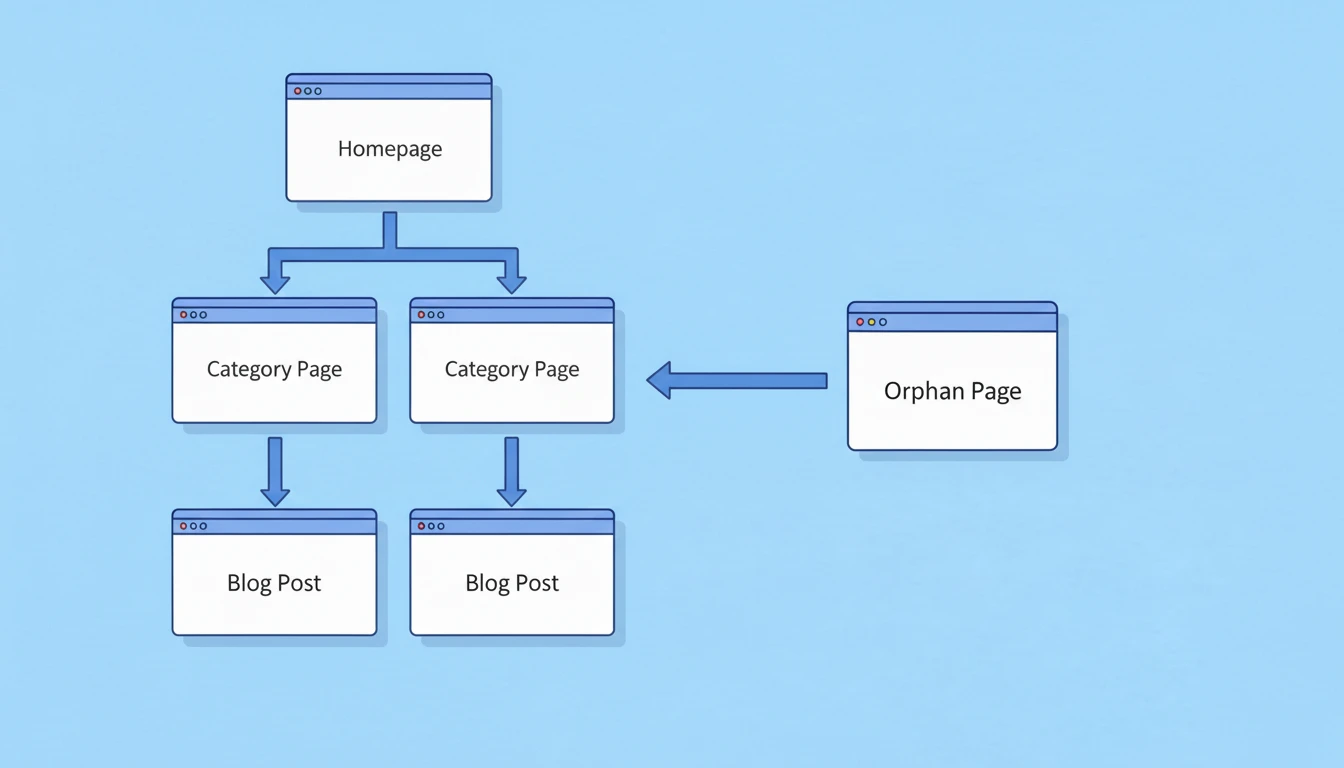
An orphan page is a page on your website that has no internal links pointing to it.
That means the page exists, but nothing on your website links to it.
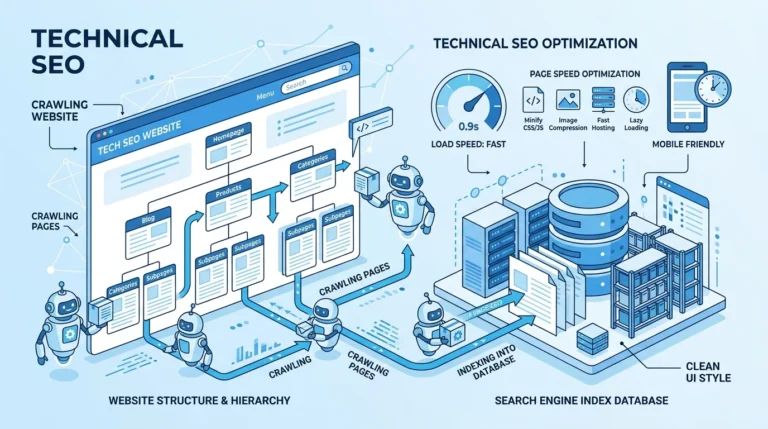
Search engines usually discover pages through internal links. When a page has none, it becomes isolated from the rest of the site structure.
Example:
Your website has these pages:
- Homepage
- Blog page
- Category page
- Article page
Normally, the homepage links to the blog, the blog links to categories, and categories link to articles.
But if one article isn’t linked anywhere on your site, it becomes an orphan page.
It still exists in the CMS and may even be indexed, but it is disconnected from the website architecture.
Why Orphan Pages Are Bad for SEO
Orphan pages create multiple SEO problems. They waste crawl budget, weaken internal linking, and reduce ranking potential.
Here are the main issues.
Search Engines Struggle to Discover Them
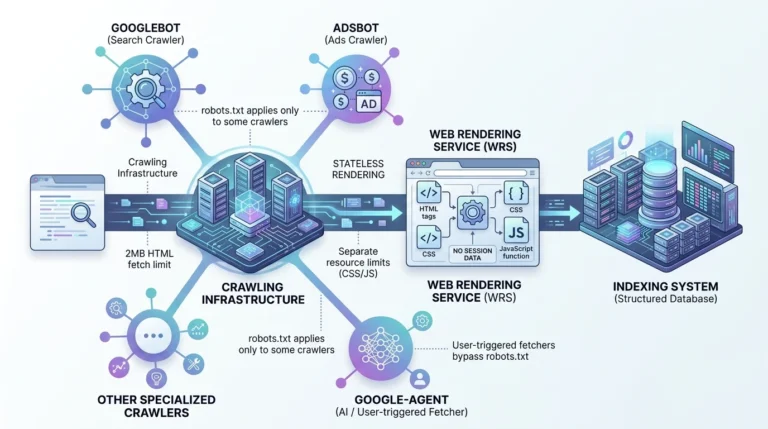
Search engines rely heavily on internal links to crawl websites.
If a page has no internal links, search engines may:
- Discover it very late
- Crawl it rarely
- Ignore it entirely
Even if the page is in the sitemap, search engines still prioritize linked pages more.
They Receive No Link Equity
Internal links pass authority from one page to another.
When a page has zero internal links, it receives no link equity, which makes ranking much harder.
This is a major issue if the orphan page targets valuable keywords.
They Create Poor Site Architecture
Good SEO relies on strong site structure.
When pages are not connected to the internal linking system, your site architecture becomes messy and inefficient.
Search engines prefer clear topic clusters and logical linking structures.
Orphan pages break that structure.
They Hurt User Experience
Users navigate websites through links.
If a page cannot be reached through navigation, categories, or related posts, visitors will never discover it.
That means the content becomes practically invisible.
Common Causes of Orphan Pages
Orphan pages usually appear accidentally during website growth.
Here are the most common reasons they happen.
Publishing Content Without Linking It
Many websites publish articles but forget to link them from:
- Existing blog posts
- Category pages
- Pillar pages
- Resource hubs
Without these connections, the new page becomes an orphan.
Website Redesign or Migration
During redesigns or CMS migrations, internal links often break or disappear.
Pages that were previously connected may become orphaned.
Deleted Category or Tag Pages
If category pages are removed or changed, articles under them may lose internal links.
This frequently creates orphan pages.
Programmatic or Generated Pages
Large sites sometimes create pages automatically (filters, landing pages, or templates).
These pages may exist in the database but never receive internal links.
Poor Content Planning
When content is published randomly without a structured topic strategy, orphan pages become common.
This is why modern SEO focuses heavily on content clusters and topical authority.
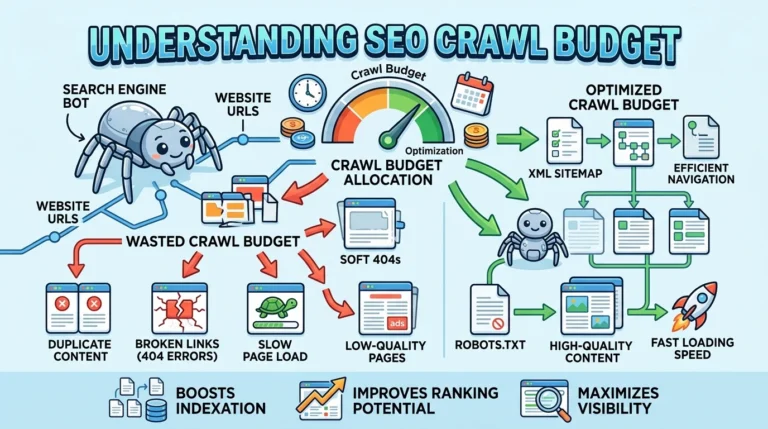
How Orphan Pages Affect Crawl Budget
Search engines allocate a crawl budget to every website.
This means there is a limit to how many pages they crawl within a certain time.
When orphan pages exist:
- They may not get crawled frequently
- Important pages may get less crawl attention
- Search engines struggle to understand site structure
For large websites, this can significantly reduce index efficiency.
That is why identifying and fixing orphan pages should be a regular SEO task.
How to Find Orphan Pages (Step-by-Step)
Finding orphan pages requires comparing two types of data:
- Pages that exist on your website
- Pages that receive internal links
The difference between these lists reveals orphan pages.
Here are the best methods.
Method 1: Use Google Search Console
Google Search Console can reveal pages that exist but have low internal links.
Steps:
- Open Pages report
- Check indexed URLs
- Compare them with internal linking reports
Pages with zero or very few internal links are potential orphan pages.
However, this method is not always precise.
Method 2: Use SEO Crawling Tools
Professional SEO tools can detect orphan pages automatically.
Popular tools include:
- Screaming Frog
- Ahrefs Site Audit
- Semrush Site Audit
These tools crawl your site and compare it with:
- XML sitemap
- Google Analytics data
- URL lists
They then identify pages that exist but are not internally linked.
This is one of the most reliable ways to find orphan pages.
Method 3: Compare Sitemap vs Crawl Data
This method is commonly used by SEO professionals.
Step 1: Export URLs from your XML sitemap.
Step 2: Crawl your site using an SEO crawler.
Step 3: Compare both lists.
Pages that appear in the sitemap but not in the crawl results are likely orphan pages.
Method 4: Use Google Analytics Landing Page Data
Another useful trick is analyzing landing pages.
Steps:
- Open Google Analytics
- Check landing pages report
- Identify pages receiving traffic but lacking internal links
These pages might be orphaned.
Sometimes they receive traffic from search engines but remain disconnected from the site structure.
How to Fix Orphan Pages Fast
Once you identify orphan pages, fixing them is straightforward.
The goal is simple: connect them to the site structure using internal links.
Here are the fastest ways to do it.
Add Links From Relevant Articles
This is the easiest solution.
Find existing articles related to the orphan page topic.
Then add contextual internal links pointing to the orphan page.
Example:
If the orphan page is about technical SEO, link to it from articles discussing:
- site audits
- crawlability
- indexing issues
Contextual links are powerful because they pass topical relevance.
Link From Category Pages
Category pages are strong internal linking hubs.
Adding orphan pages to their relevant categories helps search engines discover them quickly.
Make sure the page appears inside the category listing.
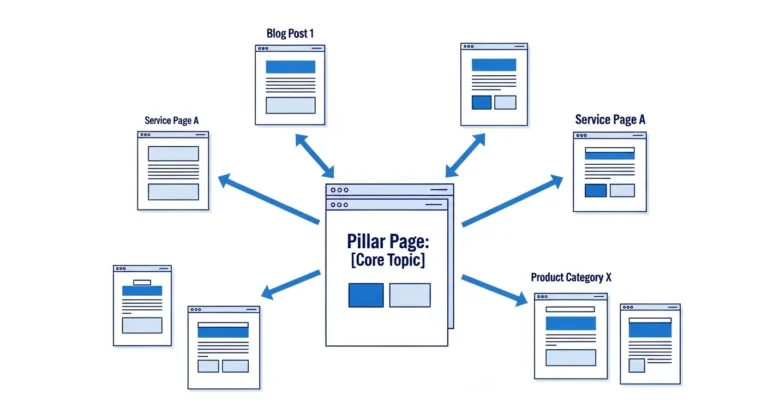
Connect Them to Pillar Pages
If your site uses content clusters, link orphan pages from pillar pages.
This strengthens topical authority and improves the overall internal linking network.
For example:
Pillar page: Technical SEO Guide
Cluster page: Orphan Pages SEO
Connecting them improves topic relationships.
Add Them to Navigation or Resource Pages
Important pages should appear in:
- navigation menus
- resource hubs
- related article sections
This ensures both users and search engines can find them easily.
Use Related Posts Sections
Many websites use related post widgets at the bottom of articles.
Including orphan pages there helps create internal links automatically.
When You Should Delete Orphan Pages
Not every orphan page should be fixed.
Sometimes deleting them is the better option.
Consider removing pages when:
- The content is outdated
- It has no traffic
- It targets irrelevant keywords
- It duplicates other pages
If the content is not valuable, adding internal links will not help much.
Instead, you can:
- Delete it
- Redirect it
- Merge it into another article
This keeps your website clean and focused.
Best Practices to Prevent Orphan Pages
Fixing orphan pages once is good.
Preventing them in the future is even better.
Here are some simple practices.
Always Add Internal Links Before Publishing
Every new page should receive at least 2–5 internal links when published.
This ensures it becomes part of the site structure immediately.
Maintain a Content Cluster Strategy
Content clusters naturally prevent orphan pages.
Each cluster contains:
- pillar page
- supporting articles
- internal linking between them
This structure keeps everything connected.
Run Regular SEO Audits
Large websites should run site audits monthly or quarterly.
This helps detect orphan pages early.
Use Internal Linking Checklists
Before publishing content, check:
- Does it link to existing articles?
- Do existing articles link back to it?
- Is it connected to a category page?
These simple checks prevent isolation.
Quick Workflow to Fix Orphan Pages in 30 Minutes
Here is a practical workflow many SEO professionals use.
Step 1: Export orphan page list from an SEO crawler.
Step 2: Group them by topic.
Step 3: Identify related articles already on your site.
Step 4: Add contextual internal links.
Step 5: Update category or hub pages if necessary.
In most cases, this process takes less than an hour.
Yet the SEO impact can be significant.
Orphan Pages vs Dead-End Pages
Many people confuse these two terms.
They are different issues.
Orphan page:
A page with no internal links pointing to it.
Dead-end page:
A page that does not link out to other pages.
Both affect site structure, but orphan pages are usually more damaging because search engines struggle to discover them.
Real SEO Impact of Fixing Orphan Pages
Many SEO professionals report strong improvements after fixing orphan pages.
Common results include:
- Faster indexing
- Increased crawl frequency
- Higher keyword rankings
- More organic traffic
This happens because internal links help search engines understand content relationships.
They also distribute authority across the site.
Final Thoughts
Orphan pages are one of the most overlooked technical SEO problems.
Yet fixing them is often one of the easiest ways to improve site performance.
Start by identifying orphan pages using SEO crawlers or sitemap comparisons. Then connect them to relevant content using contextual internal links.
This simple process strengthens your site architecture, improves crawlability, and helps search engines understand your content better.
For websites aiming to build strong topical authority, eliminating orphan pages should be a core SEO maintenance task.

Senior SEO Analyst with 5+ years experience. I specialize in Local SEO, Technical SEO, and AI search visibility through AEO and GEO strategies. Everything I write is tested against real search performance, not borrowed from someone else’s playbook.